AI infographic maker for LinkedIn
InfographicHQ pricing
Your first infographic is free, no card needed. InfographicHQ is $5 a month for 10 infographics or $20 a month for 50.
Starter
$5/month
For one brand, posting regularly
- 10 infographics a month · $0.50 each
- 1 brand
- Up to 170 words on each infographic
Pro
$20/month
For several brands or clients, and more detail
- 50 infographics a month · $0.40 each
- 3 brands, and invite 2 teammates
- Up to 240 words on each infographic
- Detailed ones are drawn sharper
- Type what to change and we rewrite the words
- LinkedIn carousels
No account needed first: pay with Stripe and we'll set one up from the email you use.
Run out mid-month? On a plan, add 40 more for $20.
What a Standard one looks like
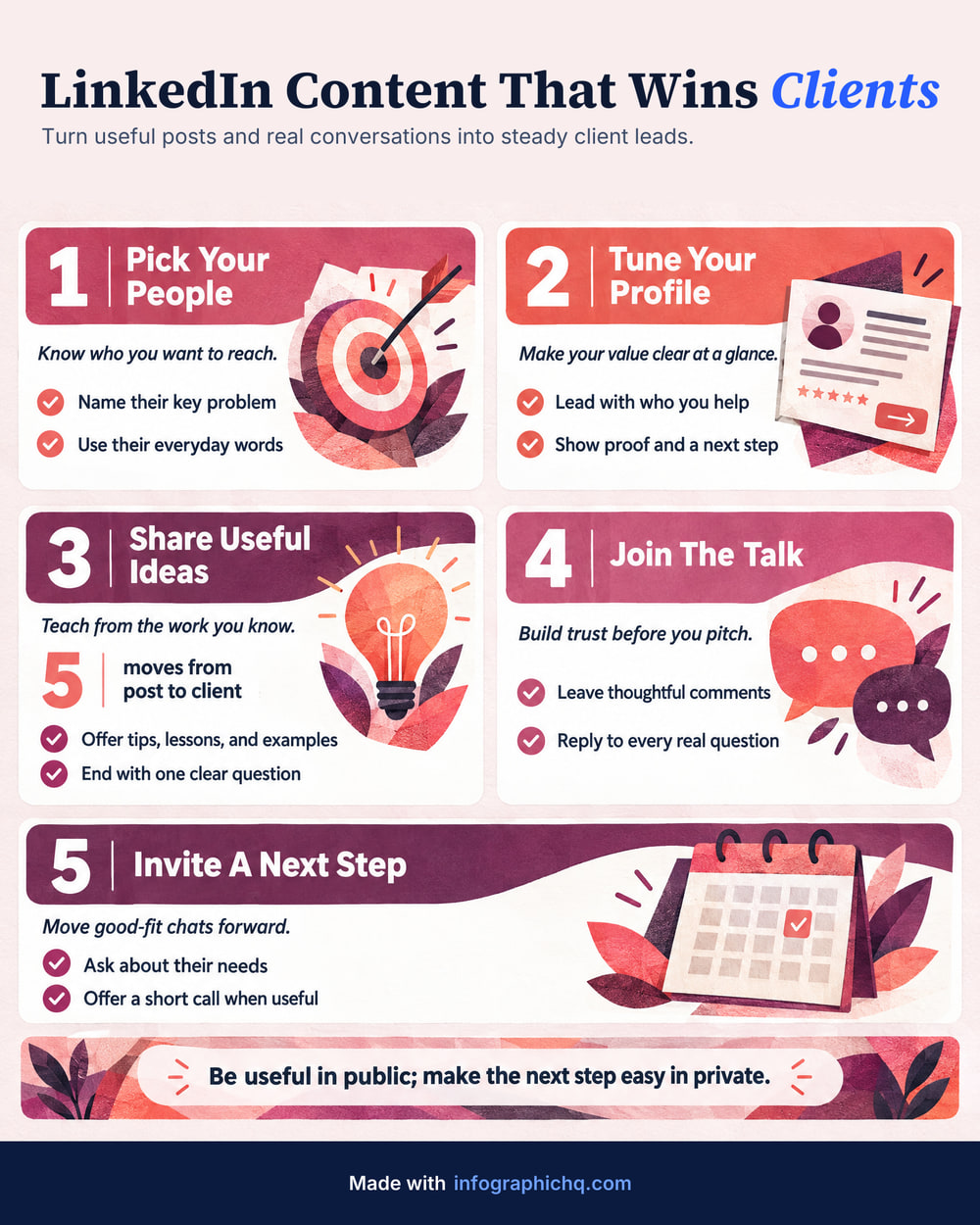
Standard (Starter and Pro)
80 to 170 words
Room for a title, a few cards and a closing line.
Detailed (Pro only)
170 to 240 words
More cards and more to read, drawn at high resolution so small lettering stays sharp.
Every plan includes
- No watermark
- Full size, yours to keep
- Your logo, footer, colours and fonts
- JPG or PNG downloads
- Free title edits on finished infographics
Free, Starter or Pro: what is the difference?
Starter is $5 a month for 10 infographics and 1 brand, $0.50 each. Pro is $20 a month for 50, $0.40 each, with 3 brands, 2 teammates, the Detailed length (up to 240 words) and LinkedIn carousels.
| Free | Starter | Pro | |
|---|---|---|---|
| Price | Free $0 | Starter $5 a month | Pro $20 a month |
| Infographics | Free 1, once | Starter 10 a month | Pro 50 a month |
| Price per infographic | Free Free | Starter $0.50 | Pro $0.40 |
| Your logo on it | Free No. It carries our footer line | Starter Yes, 1 saved brand | Pro Yes, 3 saved brands |
| Teammates | Free None | Starter None | Pro 2 |
| Lengths | Free Up to 170 words | Starter Up to 170 words | Pro Up to 240 words |
| File | Free No watermark, 1080 px wide | Starter Full size 1568 x 1960, no watermark | Pro Full size 1568 x 1960, no watermark. Detailed at high resolution |
| Shapes | Free Portrait 4:5 | Starter Portrait 4:5, Wide 16:9, Square 1:1 | Pro Portrait 4:5, Wide 16:9, Square 1:1 |
| Chart from your numbers | Free No | Starter Yes | Pro Yes |
| LinkedIn carousel | Free No | Starter No | Pro Yes |
| Rewrite the words by asking | Free No | Starter No | Pro Yes |
Is InfographicHQ free?
InfographicHQ's first infographic is free: one per person, with no card needed. It is yours to post: 1080 pixels wide, with no watermark and “Made with infographichq.com” in the footer. Any plan adds your own logo and footer and unlocks the full-size file.
Common questions
Plans and credits
What uses a credit?
Making an infographic, or redrawing one. Writing and editing the words is free, and so is changing the title of a finished infographic. Changing its brand redraws it in the new brand's colours and fonts, so it uses a credit, and your original stays in your gallery. If one fails on our side, you get the credit back automatically.
Do unused infographics roll over?
No. Monthly credits reset at each renewal and do not roll over. Top-up credits are separate and last 365 days.
Can I buy more infographics in a busy month?
Yes, on a plan. You can add 40 more infographics for $20. Top-up credits last 365 days and can be used while you have an active plan.
Is there an annual plan?
No. InfographicHQ plans are monthly, and you can cancel any time.
Do I own the infographics I make?
Yes. Under our terms the infographics you make are yours, including for commercial use: social posts, websites, slides, print and client work. Terms of service
Can I change plans?
Yes. Upgrading to Pro happens at once: you pay for Pro today, minus the unused part of your month, and get 50 fresh credits. Downgrading to Starter happens at your next renewal. If you have more brands than Starter includes, you pick one to keep using and the others stay saved, read-only, until you upgrade again.
What is the Detailed length?
More cards and more to read: 170 to 240 words, against 80 to 170 for Standard and 20 to 70 for Short. It's on Pro only, drawn at high resolution so small lettering stays sharp.
Can I edit an infographic afterwards?
Not like a template. An InfographicHQ infographic is a finished image. You can check and change every word before it is drawn. Afterwards, changing the title is free, changing the brand redraws it for a credit, and on Pro you type what to change and we rewrite the words.
What if my infographic has a spelling mistake?
Every infographic is proofread automatically against your words. If the check finds a mistake, we draw it again at our cost. If one remains, you get a free redo, and you can reword the tricky line first. You never pay for what the check catches.
Does InfographicHQ make LinkedIn carousels?
Yes, on the Pro plan. InfographicHQ turns a finished infographic into a LinkedIn carousel: a PDF of 1080 x 1350 slides, with the infographic first, a slide for each card and a closing slide, in your brand, ready to upload as a document post. It uses no credit. Carousel or single infographic?
How do payments work?
Stripe handles payments, so your card details never reach us. Plans renew monthly until you cancel. You don't need an account first: we create one from the email you give Stripe.
Can I get a refund?
Yes, within 14 days of a payment if you haven't used any of its credits. A first plan payment that unlocked your free infographic counts as used. Refund terms
Using InfographicHQ
· 6 questions
Where is my infographic?
In your Gallery. Sign in with the email you made it with, and everything you have made is there. Your free one is emailed to you too.
How do I download it?
Open it in your Gallery and press Download. You get a JPG (a smaller file, best for posting). On a plan, More also has the PNG (a larger file). On a phone it opens the share sheet, where you can save it to your photos.
It has a mistake. How do I fix it?
Open it in your Gallery. If our check found a mistake, it is marked there, and Fix it for free redraws it. If you spot one we missed, open More, press Spotted a mistake? and type what it should say. If we drew it wrong, the redo is free. Changing the title is free too. Changing your own words and drawing it again uses a credit. These fixes come with a plan, and that covers a mistake in your free one too.
How do I cancel?
Open Plan & billing in the app and press Cancel plan. Your plan runs to the end of the month you have paid for, and you won't be charged again. Everything you made stays in your gallery, and you can undo it any time before then.
I didn't get the email
Give it a minute, then check spam. Check the address too: one wrong letter sends it somewhere else, and it has to be the email you made your infographic or paid with. Sign-in links and codes work for 30 minutes, so ask for a new one on the sign-in page. Still nothing? Email [email protected].
What is a card on an infographic?
One box on your infographic: a heading, a line or two under it and usually a small picture. An infographic is a title and a few cards, and you can change the words on every card before it is drawn.
Compare InfographicHQ with 8 other tools Infographics for agencies
Secure payment by Stripe · Cancel any time